
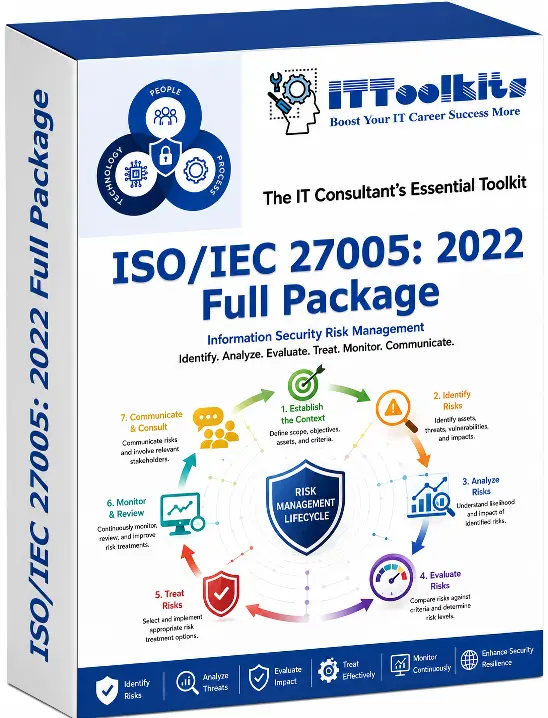
ISO/IEC 27005:2022 - Information Security Risk Management Toolkit

Information security risk decisions require a repeatable method for identifying what matters, assessing exposure, selecting treatment actions, and maintaining clear ownership.

ISO/IEC 27005:2022 - Information Security Risk Management Toolkit
ISO 27005 Toolkits Full Package

Information security risk decisions require a repeatable method for identifying what matters, assessing exposure, selecting treatment actions, and maintaining clear ownership. The ISO/IEC 27005:2022 Information Security Risk Management Toolkits provide a business aligned framework for managing information security risk consistently across systems, assets, processes, and teams.

The package converts the standard's guidance into practical templates and workbooks for asset identification, threat and vulnerability analysis, likelihood and impact assessment, risk evaluation, treatment planning, acceptance, monitoring, and reporting. This creates a common structure for risk evidence and decision making.

Using the toolkit helps organisations reduce subjectivity, improve risk visibility, strengthen governance and accountability, and support audit ready risk management while adapting the methodology to their own risk appetite and operating environment.

Benefits of This Toolkit
  • Risk management framework and methodology pack
  • Risk assessment plan and facilitation guide
  • Asset register and information asset criticality sheet
  • Threat, vulnerability, and control mapping matrix
  • Risk scenario library and risk statement templates
  • Likelihood and impact scoring model (with criteria)
  • Risk evaluation and prioritization matrix
  • Risk register (enterprise and system level)
  • Risk treatment plan and implementation tracker
  • Control selection and justification worksheet
  • Residual risk acceptance and sign off form
  • Risk appetite and tolerance statement template
  • Key risk indicator (KRI) catalog and dashboard
  • Risk reporting templates (monthly/quarterly/executive)
  • Exception and risk waiver request register
  • Third party / supplier risk assessment questionnaire
  • Evidence tracker for audits and governance reviews
  • Corrective action (CAPA) and follow up tracker
  • Lessons learned and continuous improvement backlog.
Toolkit Documents

Below is a list of documents you will find in the toolkit. Click on index file button to see which templates are included.

TypeFiles List
Part 1. Project Initiation & Scope Setup
📌 Objective: To initiate the ISO/IEC 27005 implementation project by defining scope, governance, roles, stakeholders, plans, and key assumptions, ensuring structured delivery controls and clear accountability from the outset.
Project Charter (ISO/IEC 27005 Implementation).docx
Statement of Work (SOW) & Deliverables Matrix.docx
Scope Statement (Organisation/System/Process).docx
Project Communication Plan & Cadence.docx
Project Plan & Milestone Tracker.xlsx
Stakeholder Register & Engagement Plan.xlsx
RACI Matrix (ISRM Roles).xlsx
Assumptions, Constraints & Dependencies Log.xlsx
Project RAID Log (Risks, Actions, Issues, Decisions).xlsx
Part 2. Risk Context & Risk Criteria Definition
📌 Objective: To establish risk context and define consistent risk criteria, including rating scales, heatmap configuration, appetite and tolerance, and classification standards that drive repeatable and defensible risk decisions.
Context Establishment Worksheet.xlsx
Business Objectives & Risk Drivers Mapping.xlsx
Risk Criteria Definition Template.xlsx
Impact Rating Scale (Multi Domain) Template.xlsx
Likelihood Rating Scale Template.xlsx
Risk Matrix / Heatmap Configuration Sheet.xlsx
Risk Appetite & Risk Tolerance Statement.docx
Risk Acceptance Criteria & Approval Thresholds.docx
Risk Taxonomy & Classification Standard.docx
Part 3. Risk Assessment Methodology & Standards
📌 Objective: To standardize the risk assessment approach by defining methodology, scenario templates, workshop practices, naming and version control, evidence quality requirements, and scoring models aligned to control baselines.
Risk Assessment Methodology (Qual/Quant/Hybrid).docx
Risk Scenario Definition Guide & Templates.docx
Risk Workshop Facilitation Pack (Agenda, Scripts, Outputs).docx
Risk ID Naming Convention & Version Control Rulebook.docx
Evidence Requirements & Quality Checklist.docx
Asset Threat Vulnerability Mapping Template.xlsx
Control Baseline Mapping Sheet (ISO/IEC 27001 Annex A).xlsx
Data Classification & Asset Criticality Scoring.xlsx
Risk Scoring Model Configuration Workbook.xlsx
Part 4. Information Asset Inventory & Ownership
📌 Objective: To build a complete information asset inventory with clear ownership, mapping assets to business processes, systems, interfaces, and third parties, while visualizing data flows and defining boundaries for risk assessment coverage.
Information Asset Register (Enterprise).xlsx
Asset Ownership & Custodian Register.xlsx
Business Process Asset Mapping Sheet.xlsx
System Inventory (Applications/Servers/Cloud Services).xlsx
Data Inventory & Data Classification Register.xlsx
Interface & Integration Inventory.xlsx
Third Party Asset Touchpoints Register.xlsx
Data Flow Diagram Template.pptx
System Boundary / Context Diagram Template.pptx
Part 5. Risk Identification
📌 Objective: To identify and document information security risks using consistent standards, leveraging checklists, incident learnings, structured workshops, and threat/vulnerability libraries to produce a complete scenario catalog and control gap log.
Risk Identification Checklist Pack.docx
Incident to Risk Conversion Form.docx
Risk Statement Standard (How to Write Risks).docx
Risk Identification Workshop Capture Sheet.xlsx
Threat Library & Threat Taxonomy Workbook.xlsx
Vulnerability & Findings Register.xlsx
Risk Scenario Catalog (Master List).xlsx
Control Gaps & Weaknesses Log.xlsx
Emerging Risk Intake & Triage Form.xlsx
Part 6. Risk Analysis & Risk Scoring
📌 Objective: To analyze inherent and residual risk by assessing existing controls, scoring control effectiveness, capturing evidence and uncertainties, and evaluating concentration impacts to produce clear risk profiles and KRIs for monitoring.
Inherent Risk Scoring Worksheet.xlsx
Current Controls Assessment Worksheet.xlsx
Control Effectiveness Scoring Model.xlsx
Residual Risk Calculation Sheet.xlsx
Risk Drivers & Evidence Log.xlsx
Assumptions & Uncertainty Log.xlsx
Risk Interdependency / Concentration Analysis.xlsx
Key Risk Indicator (KRI) Definition & Thresholds.xlsx
One Page Risk Profile (Executive Template).docx
Part 7. Risk Evaluation, Prioritisation & Decisions
📌 Objective: To evaluate and prioritize risks for decision making by consolidating results, documenting committee decisions, enabling treatment and acceptance approvals, handling exceptions and escalations, and producing executive and board level reporting packs.
Risk Prioritisation Matrix Template.xlsx
Risk Evaluation Summary (By BU/System).xlsx
Risk Committee Decision Log.xlsx
Risk Treatment Decision Form.docx
Risk Acceptance Request & Approval Form.docx
Control Exception / Deviation Request Form.docx
Risk Escalation Criteria & Workflow.docx
Risk Aggregation Executive Report Deck.pptx
Top Risks Dashboard (Board Pack).pptx
Part 8. Risk Treatment Planning & Control Governance
📌 Objective: To plan and govern risk treatments through structured RTP workbooks, action tracking, control implementation scheduling, cost benefit justification, target risk forecasting, and formal specification and validation of treatment requirements.
Risk Treatment Plan (RTP) Master Workbook.xlsx
Risk Treatment Action Tracker.xlsx
Control Implementation Plan & Schedule.xlsx
Control Owner Accountability & Attestation.xlsx
Budget, Cost & Benefits Justification.xlsx
Residual Risk Forecast & Target Risk Levels.xlsx
Compensating Controls Justification Form.docx
Security / Control Requirements Specification.docx
Verification & Validation Plan for Treatments.docx
Part 9. Third Party & Supply Chain Risk Management
📌 Objective: To assess and manage third party and supply chain risks through standardized questionnaires, contract and SLA controls, due diligence scoring, evidence tracking, remediation follow up, and concentration risk monitoring for critical suppliers.
Third Party Risk Assessment (TPRA) Questionnaire Pack.docx
Contract Security Clauses Checklist.docx
SLA/OLA Security Addendum Template.docx
Supplier Risk Scoring & Due Diligence Workbook.xlsx
Third Party Inventory & Criticality Register.xlsx
Third Party Control Evidence Tracking Log.xlsx
Vendor Remediation / Corrective Action Tracker.xlsx
Sub processor / Fourth Party Register.xlsx
Concentration Risk & Critical Supplier Register.xlsx
Part 10. Risk Communication, Consultation & Reporting
📌 Objective: To enable effective risk communication and consultation through governance structures, defined publication rules, escalation procedures, reporting calendars, and consistent reporting decks that support operational and executive oversight.
Risk Communication & Consultation Plan.docx
Risk Governance Charter & Committee TOR.docx
Risk Review Meeting Agenda & Minutes Template.docx
Risk Register Publication & Access Control Rules.docx
Risk Escalation & Notification Procedure.docx
Reporting Calendar & Distribution List.xlsx
Monthly Risk Reporting Deck (Operations).pptx
Quarterly Risk Reporting Deck (Management/Board).pptx
Risk Awareness & Training Materials Deck.pptx
Part 11. Monitoring, Review & Continuous Operation
📌 Objective: To operate risk management continuously by maintaining the enterprise risk register, monitoring KRIs, testing control effectiveness, tracking reassessment triggers and remediation actions, and supporting internal audits and management review.
Enterprise Risk Register (Master).xlsx
KRI Monitoring Dashboard & Alerts.xlsx
Control Testing Plan & Schedule.xlsx
Control Testing / Effectiveness Review Workbook.xlsx
Risk Reassessment Triggers & Change Log.xlsx
Risk Action / Remediation Tracking Log.xlsx
Internal Audit Evidence Pack Index.xlsx
Risk Closure & Lessons Learned Form.docx
Management Review Pack (Risk Performance).pptx
Part 12. Continuous Improvement, Maturity & Handover
📌 Objective: To embed continual improvement and ensure sustainable handover by assessing ISRM maturity, managing improvement backlogs, developing competency plans, conducting post implementation reviews, and providing operational playbooks and tool configuration guidance.
ISRM Process Maturity Assessment Workbook.xlsx
Continuous Improvement Backlog & Prioritisation.xlsx
Roles Competency Matrix & Training Plan.xlsx
Post Implementation Review (PIR) Template.docx
30-60-90 Day Stabilisation & Benefits Review.docx
Handover Checklist (Documents, Access, Cadence).docx
Operating Model & SOP Playbook (ISRM).docx
GRC/IRM Tool Configuration Guide.docx

Price: $156.00

PayPal Cards

Secure payment via PayPal. Instant digital delivery after successful payment.

Download index filePayment guide

Date File Updated25/03/2025
File Formatpdf, xls, doc
No. of files106 Files, 12 Folders
File download size2.95 MB (.rar)
LanguageEnglish English

This document has been certified by a professional.

100% customizable. You can edit our templates as needed.

Instant download after completing your order.

We recommend downloading this file onto your computer.

Your payment information is processed securely.

After payment, if you require an invoice, please email us.

Support contact: supports@it-toolkits.org

ISO/IEC IMPLEMENTATION TOOLKIT

Implement ISO/IEC 27005:2022 - Information Security Risk Management Toolkit with structured, practical documentation.

Editable implementation resources designed to support governance, consistent execution, evidence management, audit readiness, and continual improvement.

FAQs

1. Who are these toolkits designed for?

The toolkits available on IT-Toolkits.org are specifically designed for professionals, managers, and leaders in the fields of information technology and digital transformation, including but not limited to:

  • CIO (Chief Information Officer)

  • CTO (Chief Technology Officer)

  • CISO (Chief Information Security Officer)

  • CAIO (Chief AI Officer)

  • CDO (Chief Digital Officer)

  • IT Managers, Governance Officers, and Compliance Specialists

  • IT auditors, risk management professionals, cybersecurity teams

  • Digital transformation consultants and ISO/COBIT/ITIL implementation specialists

  • Corporate trainers and lecturers delivering internal workshops or professional training programs

These toolkits are suitable for:

  • Large enterprises operating complex IT systems or aligning with international frameworks

  • Small and medium sized enterprises (SMEs) building standardized IT governance and digital systems

  • Training institutions, research organizations, and independent consultants in need of Ready for Using, structured implementation tools

2. What does each toolkit include?

Each toolkit on IT-Toolkits.org is built with a comprehensive, practical, and structured framework tailored to real world enterprise usage. Depending on the theme (CIO, CTO, CISO, CAIO, Digital Transformation, ISO 27001, etc.), a typical toolkit includes:

🔹 1. Management Templates (Word files)

  • Dozens to hundreds of editable templates: policies, procedures, plans, checklists, reports

  • Organized by topic for easy navigation

  • Fully customizable to fit your organization's needs

🔹 2. Analytical & Governance Spreadsheets (Excel files)

  • KPI dashboards, risk matrices, budget planning sheets, scoring models

  • Equipped with formulas, charts, and dynamic tables for automated calculations

🔹 3. Professional Presentation Slides (PowerPoint files)

  • Ready for Using slides for internal communication, training, or executive briefings

  • Professionally designed and brand customizable

🔹 4. User Guides & Application Notes

  • Detailed instructions explaining the purpose and use case of each document

  • Guidance on how to adapt the materials based on industry and organizational structure

3. How many templates/documents are included in each toolkit?

The number of documents varies by toolkit, but most are developed as comprehensive, in depth packages tailored to different roles and objectives:

Functional Role Based Toolkits (CIO, CTO, CISO, CAIO, etc.):

  • 80-150 Word templates organized into 8-15 modules

  • 30-50 Excel dashboards, analysis sheets, financial models

  • 20-40 PowerPoint presentations for strategy, training, or communication

International Standards Toolkits (ISO 27001, COBIT, ITIL, GDPR...):

  • 100-200 standardized documents mapped to clauses or control objectives

  • Templates linked directly to audit/compliance requirements

Digital Transformation & AI Toolkits:

  • 70-120 specialized templates for assessing readiness, planning AI initiatives, managing risk, and tracking performance

4. Can I preview the content before purchasing?

Yes. We understand that reviewing content before purchase is important for informed decision making. Therefore, on each toolkit's product page, we provide:

  • Sample screenshots of templates, dashboards, or slides

  • Full list of included files with module names and file IDs

  • For selected toolkits, free downloadable samples or sample previews upon request

If you require a preview of specific documents or modules before purchasing, feel free to contact us via email or the website form. Our support team will respond promptly with tailored assistance.

5. Are these toolkits suitable for small and medium sized businesses (SMEs)?

Absolutely. The toolkits are built with flexibility and scalability, making them suitable not only for large enterprises but also for SMEs that are:

  • Building foundational IT governance systems

  • Standardizing cybersecurity and compliance processes

  • Launching digital transformation or AI adoption initiatives

  • Seeking practical, Ready for Using materials without large consulting budgets

Key benefits for SMEs:

  • Easy to use templates that can be selectively applied

  • No complex systems required - just Word, Excel, and PowerPoint

  • Significant cost and time savings compared to hiring consultants

  • Step by step guidance to empower internal IT and leadership teams

6. What file formats are used in the toolkits? (Word, Excel, PowerPoint?)

All documents are provided in fully editable, standard office formats, compatible with widely used software such as Microsoft Office and Google Workspace.

Supported file types:

  • Microsoft Word (.docx):
    For policies, procedures, forms, SOPs, audit reports, etc.
    → Easy to edit, insert content, and tailor to your organizational structure.

  • Microsoft Excel (.xlsx):
    For dashboards, risk matrices, financial models, analytics, and scoring sheets
    → Built in formulas, charts, and conditional formatting included.

  • Microsoft PowerPoint (.pptx):
    For strategy presentations, internal training, communication slides
    → Professionally designed and ready for brand customization.

7. Are the templates editable?

Yes. All templates are 100% editable.

They are delivered in original, editable formats (Word, Excel, PowerPoint), giving users full flexibility to:

  • Customize the content to meet specific business needs (e.g., add/remove fields, modify titles, internal references)

  • Insert company logo, brand elements, and internal policies

  • Adjust layouts, colors, and languages to fit your organization's tone and culture

  • Apply across departments, projects, or branches with full flexibility

8. Are toolkit contents regularly updated? What is the update policy?

Yes. We regularly update all toolkits to keep pace with evolving technologies, regulatory changes, and updates to global standards (e.g., ISO, COBIT, ITIL, NIST).

🔄 Update policy:

  • All customers are notified by email when new updates are released

  • Minor updates (e.g., error corrections, improved instructions, minor enhancements) are free within 6-12 months of purchase (depending on the product)

  • Major updates (e.g., alignment with new versions of ISO/COBIT, content restructuring, additional modules) will be offered to previous customers at exclusive upgrade discounts

📌 Recommendation:
Keep your order confirmation email and reference ID to easily access update privileges in the future.

🎯 Our commitment is to ensure customers always have access to modern, comprehensive, and field tested tools to support successful implementation.

9. Can I use the templates immediately, or do I need to adjust them first?

You can start using them right away. All templates are designed based on international best practices and are structured for immediate deployment.

Key features:

  • Built with real world content and standard compliant structures

  • Come with usage instructions and practical context

  • Organized by thematic modules for step by step or full system deployment

However, to maximize relevance, we recommend:

  • ✏️ Adjusting certain fields (e.g., company name, department, KPIs, policies)

  • ✏️ Localizing formatting and language if needed for training or board level presentations

🎯 With their professional design and Ready for Using content, the toolkits help you reduce 60-80% of documentation time while ensuring consistency and quality in execution.

10. Do toolkits come with user guides or instructions?

Yes. Every toolkit includes a comprehensive set of user guides to help you implement effectively - even without prior consulting experience.

Guides typically include:

  • Toolkit overview: Use cases, target users, structure, and application areas

  • How to use each document type: Purpose, real life use cases, and rollout steps

  • Customization guidance: How to adapt the templates for your business size, industry, or internal policies

  • Workflow diagrams (if applicable): Showing logical connections among templates

  • Recommended implementation sequence: Step by step instructions for deploying by topic or by phase

🎯 Our goal is not just to provide professional templates, but to ensure you know how to apply them effectively - with or without external consultants.

11. Are templates within one toolkit duplicated across other toolkits?

No, contents are not duplicated. Each toolkit on IT-Toolkits.org is purpose built for a specific role or governance function, ensuring no overlap between toolkits.

How we ensure content uniqueness:

  • Each toolkit is centered around a unique role or theme, such as CIO, CTO, CISO, CAIO, Digital Transformation, ISO 27001, etc.

  • Every template is written with specific use cases, responsibilities, and workflows of that role in mind.

  • The structure, fields, and metrics in each file are tailored to distinct business needs.

Example:
A "Technology Strategy Roadmap" in the CTO Toolkit is completely different from a "Digital Transformation Strategy" in the Digital Transformation Toolkit or an "AI Strategy Plan" in the CAIO Toolkit.

🎯 This role based structure enables users to combine multiple toolkits without content redundancy, creating a comprehensive enterprise management system.

12. Can I purchase only specific parts or individual sections of a toolkit?

By default, our toolkits are offered as complete, full featured packages to ensure:

  • Logical consistency and completeness across the full implementation process

  • A holistic view of the management or compliance framework

  • Avoiding gaps or missing critical templates by purchasing only partial content

🔄 However, in special cases, we can support:

  • Providing individual modules or sections (e.g., only the Risk Management section or only the Technology Strategy module)

  • Helping you select a tailored bundle based on your short term needs

📩 Please contact our support team via email or the contact form for a custom quote or to request a sample preview before making a decision.

13. What payment methods are accepted?

We support multiple secure and globally accepted payment methods to accommodate customers worldwide.

Accepted payment options include:

  • Credit/Debit Cards:
    Visa, Mastercard, American Express, JCB, and other major cards

  • PayPal:
    A secure and fast method for both individuals and businesses

  • Stripe:
    Built in checkout on our website, allowing direct card payments securely

  • Bank Transfer (upon request):
    For custom or bulk orders, we can provide manual bank transfer instructions as needed

🎯 Once payment is completed, you will automatically receive a confirmation email and secure download link within 15-60 minutes. If support is required, our team is available to assist promptly.

14. How will I receive the toolkit after payment?

As soon as your payment is successfully completed, the system will automatically redirect you to a secure download page where you can immediately download the full toolkit package.

✅ No need to wait for an email - the download page appears instantly after checkout.
✅ All files will be provided in a single ZIP archive or through a secure cloud hosted link.

📌 Important Note:
Please ensure that your browser does not block redirects after payment. If for any reason you are not redirected to the download page, kindly contact us at supports@it-toolkits.org - we will provide an alternative download link promptly.

🎯 This instant delivery method ensures you receive the toolkit quickly and securely, without delay.

15. Can I request an invoice or official billing document?

Yes. We can issue official invoices (electronic tax invoices) upon request for companies, organizations, or individuals who need to declare business expenses.

How to request an invoice:

  1. After completing payment, send an email to:
    📩 Supports@it-toolkits.org

  2. Include the following details:

    • Company/organization name

    • Tax identification number (if applicable)

    • Billing address

    • Email to receive the invoice

    • Special notes (if any)

    • Order reference number or payment confirmation

  3. Processing time:

    • Invoices are issued via email within 2-3 business days after we receive complete information.

📌 Invoices are issued by the official legal entity representing IT-Toolkits.org and comply with tax and financial regulations applicable to international businesses.

16. Can I get support if I have trouble using the templates?

Yes. We are committed to supporting our customers before, during, and after toolkit implementation.

Types of support available:

  • Email support:
    Send questions to 📩 supports@it-toolkits.org - we will reply within 24 business hours to help with usage, customization, or deployment.

  • Implementation guidance:
    We provide process flowcharts, usage notes, and recommendations to help users understand how to apply each group of templates.

  • Customization advisory:
    If your organization has unique industry or structural needs, our team of experts can suggest how to tailor templates accordingly.

  • Related materials recommendation:
    If the current toolkit doesn't fully meet your requirements, we can recommend complementary documents from our other toolkits.

🎯 Our mission goes beyond delivering templates - we aim to help you apply them effectively, achieve real results, and drive organizational value.

17. Who can I contact for advanced or specialized support?

If you need expert level support for using, customizing, or implementing our toolkits in your organization, our team of consultants is ready to assist.

Official support channels:

🛠 Specialized support may include:

  • Advisory on deploying toolkit components based on your roadmap

  • Template customization for specific industries (banking, manufacturing, logistics, public sector, etc.)

  • Full scale implementation support for ISO certification, IT governance programs, digital transformation, or AI deployment

🎯 We're not just a content provider - we are a trusted partner in helping you deliver successful execution and lasting impact.

18. What if a file doesn't work or I have trouble opening it?

All files are thoroughly tested before release to ensure compatibility with major office software. However, in rare cases, users may encounter issues. Here's how to resolve them:

Common issues and solutions:

  • File won't open or shows a format error:
    → Use Microsoft Office 2016+ or Google Workspace
    → Ensure the file was properly extracted if downloaded as a .zip

  • Excel files show macro or content warnings:
    → Click "Enable Editing" and "Enable Content" to activate features

  • Missing files or extraction issues:
    → Check your internet connection and re download the file
    → Contact us if the issue persists - we'll provide a new download link

📩 If you face any technical error, please email supports@it-toolkits.org with a brief description and a screenshot (if available).
👉 We are committed to resolving all technical issues within 24 business hours.